GCP Getting Started
This document describes how to get started with GruCloud on the Google Cloud Platform.
Use Cases

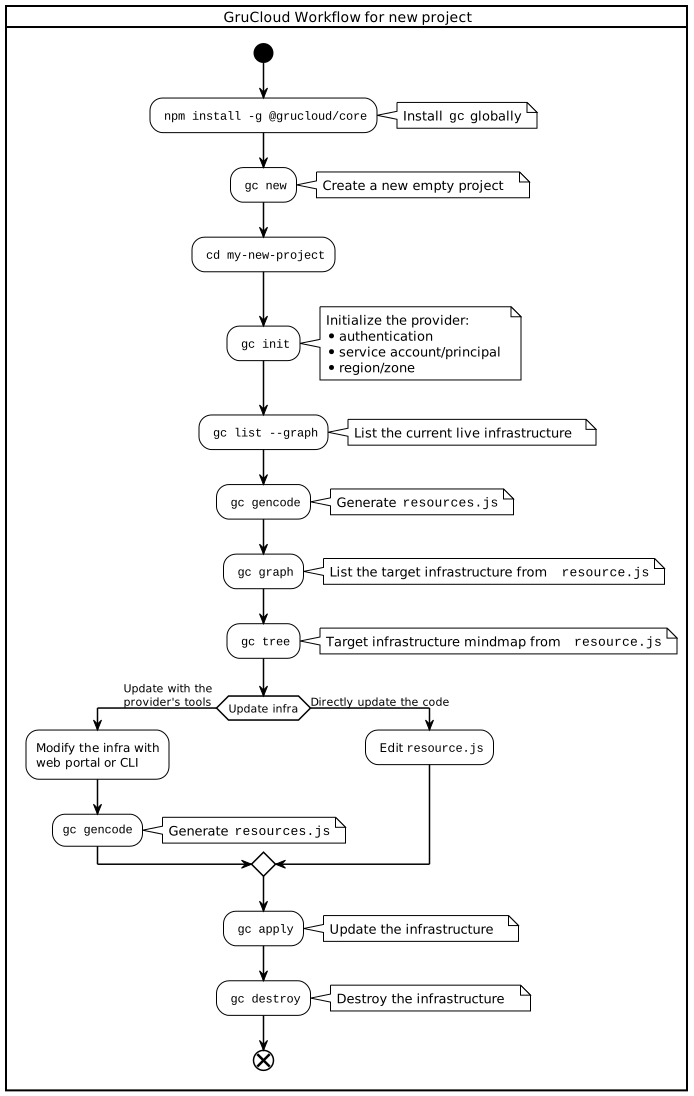
Workflow
Requirements
GCP Account
Access to the GCP console is required to run this tutorial.
gcloud
Ensure the GCP CLI called gcloud is installed:
gcloud -v
Google Cloud SDK 363.0.0
beta 2021.10.29
bq 2.0.71
core 2021.10.29
gsutil 5.4
Installing the GruCloud CLI
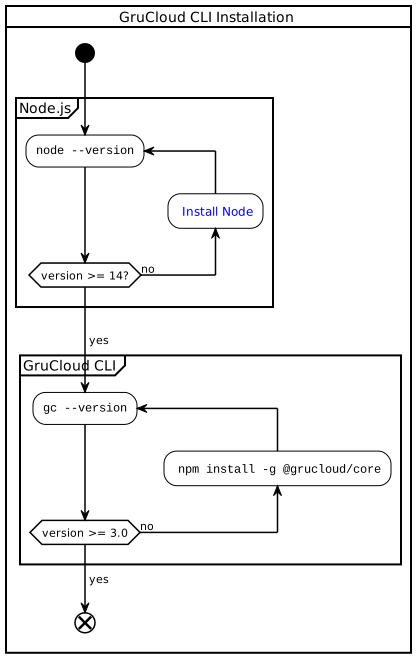
The GruCloud CLI, gc, is written in Javascript running on Node.js
Install it globally with:
npm i -g @grucloud/core
GruCloud CLI commands
gc new Create a new project
The new command guides you on how to create and configure a new project.
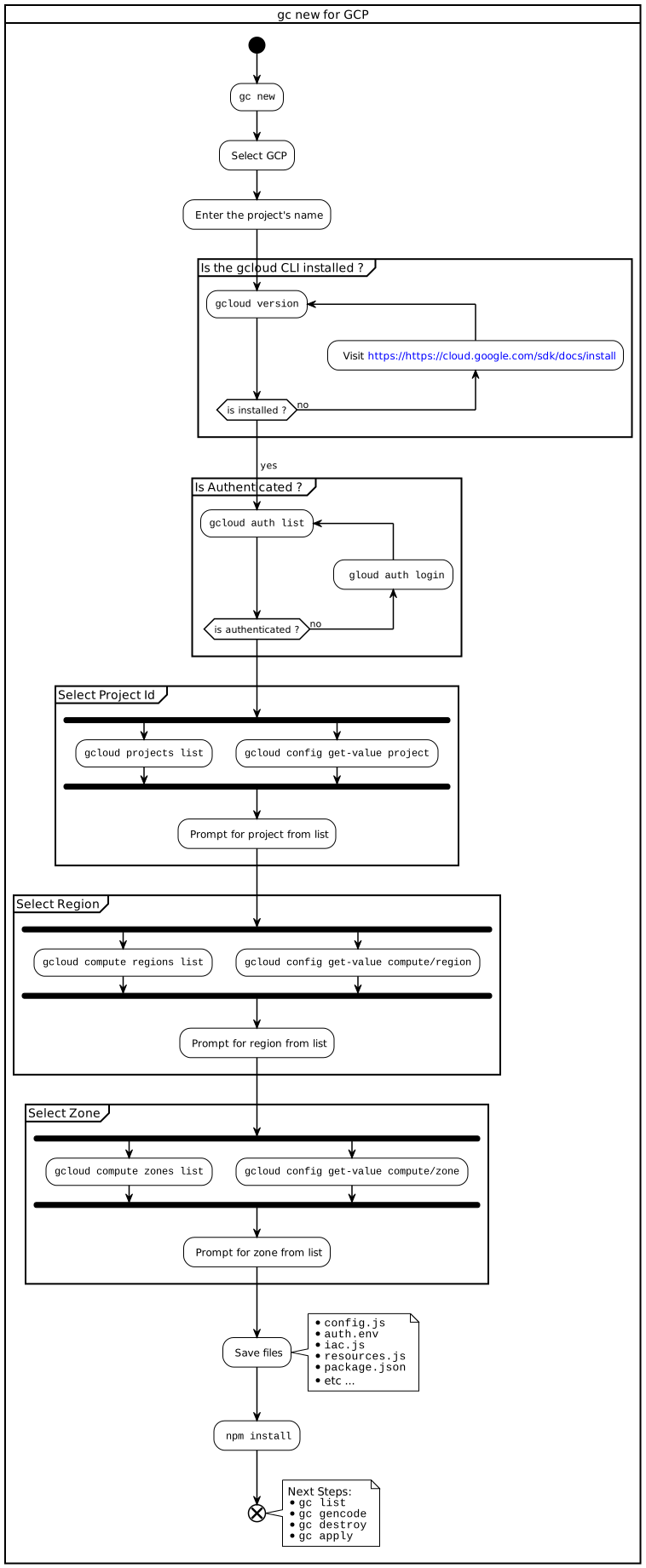
Below is the screencast of gc new:
The boilerplate project is now created and configured.gc init Initialisation
A few actions need to be performed before deploying the resources.
- Setup billing for that project
- Enable the API services
- Create a service account
- Create and save the credential file for this service account
- Update the IAM policy by binding roles to the service account
Don't worry, these preparation steps are fully automated:
gc init
gc list List the live resources
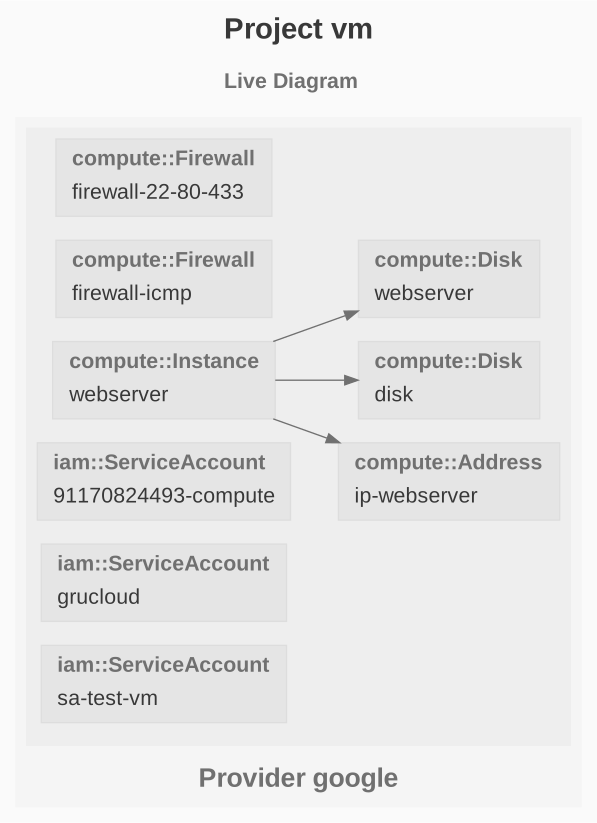
Visualize your current infrastructure with the list command:
gc list --graph
gc gencode Code Generation
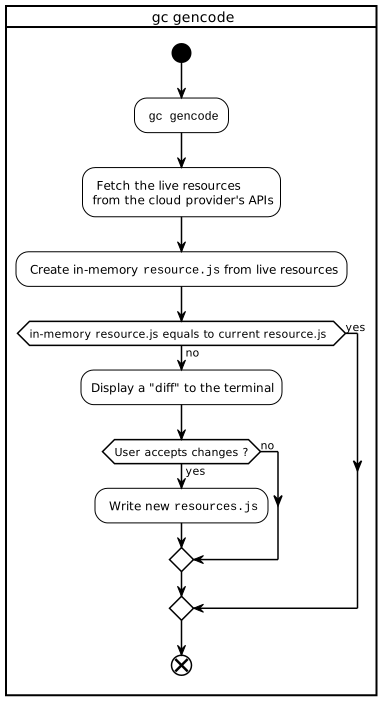
The gencode command fetches the live resources and generate the code in resource.js
gc gencode
The following flowchart explains in more detail the process of generating the code from the live infrastructure.
Congratulation, the infrastructure code has been created automatically.
gc graph Target Graph
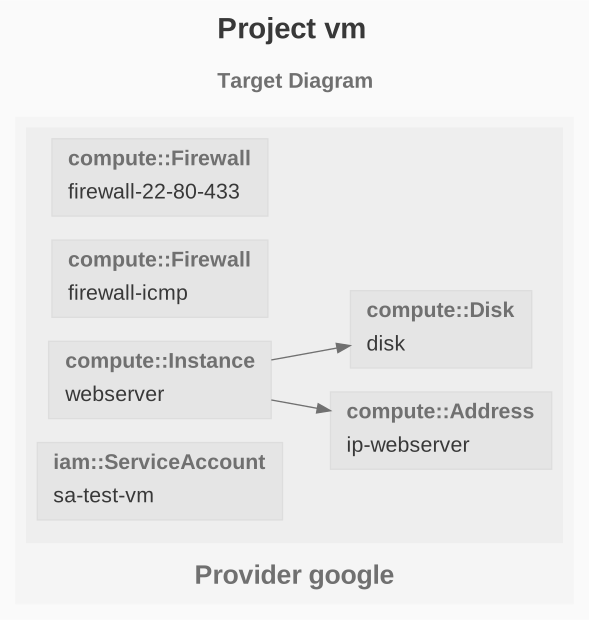
The graph command creates a dependency graph of the target resources:
gc graph
gc tree Resource mind map
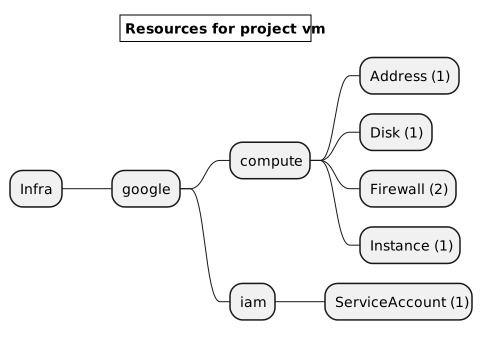
Given the target resources defined in resources.js, let's generate a mindmap of the target resources by group and type.
gc tree
gc apply Update
To update the infrastructure, either use the GCP console and run gc gencode, or modify directly the file resource.js. Once done, use the apply command to update the infrastructure:
gc apply
gc destroy Destroy
To destroy the infrastructure, use the destroy command:
gc destroy
Next Steps
Browse the various examples which helps to find out how to use this software.
Available GCP Resources